


How Teachers Can Use an AI Storybook to Boost Elementary Reading Engagement
The Challenge of Elementary Reading Engagement
Every elementary educator knows the daily struggle of keeping young students engaged during independent reading blocks. Getting a classroom of early readers—especially reluctant or struggling students—to stay focused on static paper worksheets or silent reading logs can feel like an uphill battle.
Traditional reading logs often turn into a compliance exercise rather than an enjoyable learning experience. Furthermore, assessing spoken reading fluency across twenty or thirty students during a busy school day requires time that teachers simply do not have.
To bridge this gap, educators need modern reading engagement tools for teachers that combine captivation with pedagogical rigor. By bringing interactive technology into daily literacy centers, teachers can turn routine reading drills into exciting, active learning quests.
Why an AI Storybook for Teachers Transforms Phonics and Fluency
Using a specialized AI storybook for teachers changes the entire dynamic of classroom reading centers. Instead of practicing sight words in isolation, students encounter foundational vocabulary inside dynamic, narrative-driven storybooks.
Integrating phonics practice through storytelling helps children understand how letters, sounds, and words function in context. When a new vocabulary word appears in a story, students are motivated to decode it correctly so they can help their character solve a puzzle or advance to the next page.
Platforms built for classrooms, like Littale, streamline this entire process for educators. Teachers can generate tailored story quests that align directly with current curriculum units—whether exploring ocean ecosystems, space discovery, or social-emotional learning themes.
Structuring a Dynamic Group Reading Activity for Students
Collaborative learning is one of the most effective ways to build confidence in early readers. Incorporating interactive 3D flipbooks into a group reading activity for students creates an inclusive, supportive environment where children learn together.
Here is how educators structure interactive reading groups in the classroom:
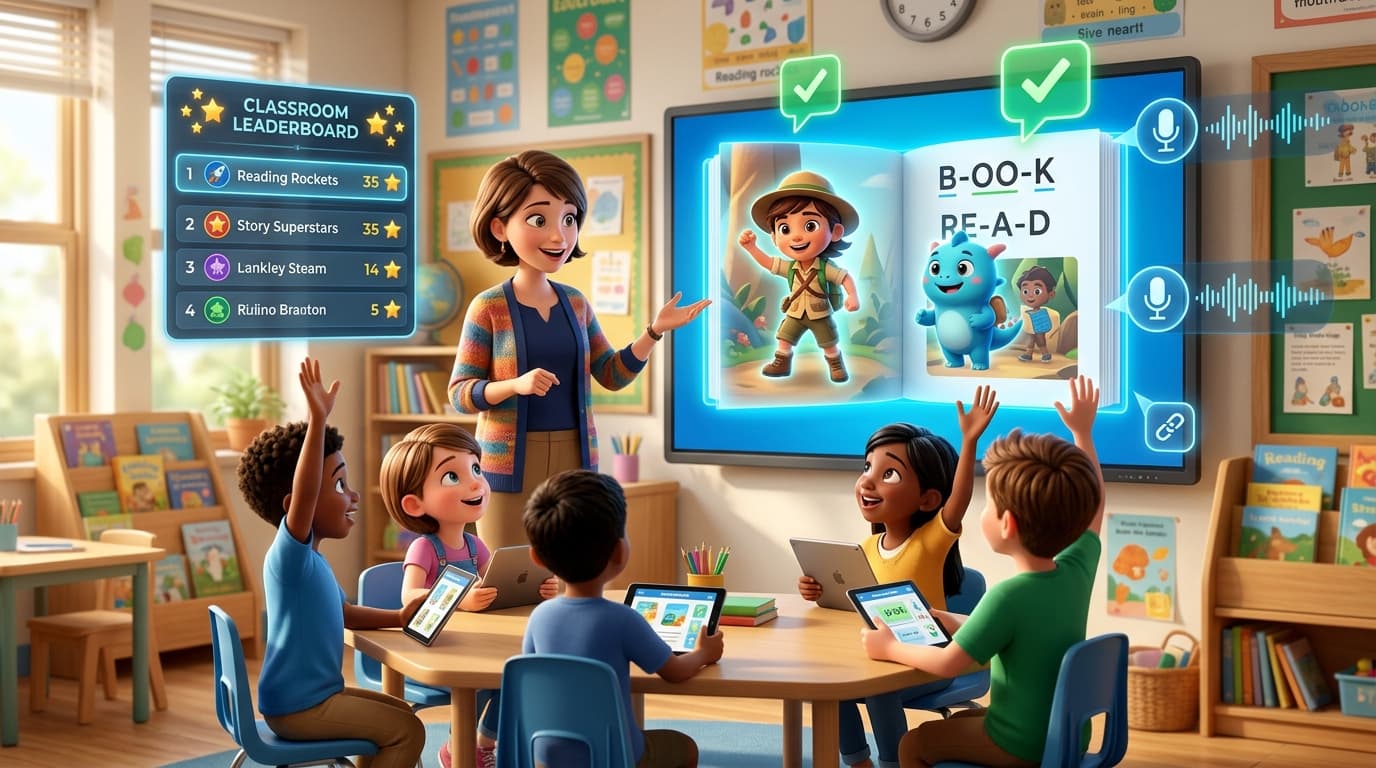
• Interactive Page Turns: Students gather around a shared screen or tablet, taking turns reading aloud as the browser-native 3D flipbook responds in real time.
• AI-Powered Speech Evaluation: As students read out loud, built-in speech recognition listens to their voice, highlighting correctly spoken words in green while offering gentle phonetic cues for tricky pronunciations.
• Embedded Comprehension Checks: Seamless reading comprehension activities for elementary students—such as quick plot quizzes and vocabulary matching games—appear naturally at the end of key chapters.
This combination of audio-guided reading and immediate visual feedback ensures that students receive instant validation, reducing reading anxiety while giving teachers clear visibility into student fluency.
Gamifying Literacy with a Classroom Reading Leaderboard App
Friendly competition is a proven accelerator for student motivation. Integrating a classroom reading leaderboard app framework turns independent reading practice into a shared game that every student wants to participate in.
As students complete story quests, pronounce words accurately, and pass comprehension quizzes, they earn star points for themselves and their table teams. Displaying these achievements on an interactive whiteboard fosters team encouragement rather than individual pressure.
Reluctant readers who previously resisted opening a book often become eager participants when their reading efforts help their group climb the weekly leaderboard. Re-reading stories to improve fluency scores becomes a self-directed, fun activity.
Step-by-Step: Launching Your First Classroom Reading Quest
Ready to introduce interactive reading quests to your students? Here is how simple it is for teachers to get started:
Step 1: Select Your Curriculum Theme
Choose a story theme in Littale that matches your current lesson plan—such as science exploration, historical adventures, or character building.
Step 2: Copy Your Instant Private Link
Generate your unique classroom quest link. Paste it directly onto your interactive whiteboard or send it to student devices. Students tap the link and begin reading immediately without creating user accounts.
Step 3: Run Interactive Reading Centers
Let students read independently or in small groups using the 3D flipbook reader. Watch as real-time AI speech evaluation guides their pronunciation out loud.
Step 4: Track Progress on the Leaderboard
Review comprehension scores and celebrate reading milestones as a class, rewarding effort, fluency improvements, and teamwork.
Comments(1)
Helpful. Thanks.